Monday, 6 August 2018

Need For Progressive E-commerce App Development – Codebrahma


 https://codebrahma.com/serviceprogressive-web-applications/

The growth of mobile apps in this contemporary world is undisputed. Most of the users spend around their 70% of the time on Mobile & Internet. With this rise in the count of smartphones users every day, the demand for more user-friendly apps is increasing briskly. 
 
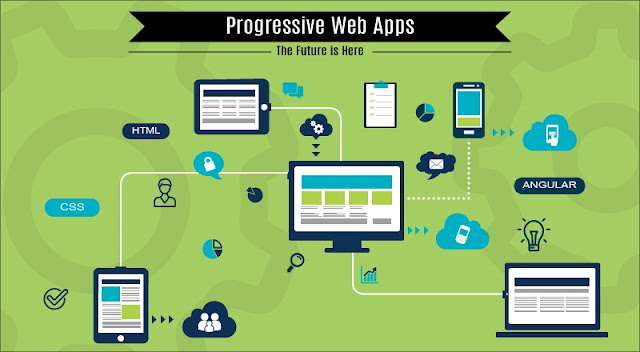
A progressiveweb app is very major step towards this rising demand. PWAs are nothing but browser mobile web apps – a brand new design concept with new web APIs.

Need for Progressive Web Apps:

While working on mobile apps which are native & working on web browser mobile apps, users experience a huge difference – as native apps are easily accessible. However, there are some cases when users don’t want to download the app – it could be due to out of memory or some data usage issue. The average size of mobile apps that we download from play store or app store is 30–200MB. Although these apps require updating frequently. Talking about e-commerce sites, somebody would not like to download the whole app just to buy a single Dress.

In order to resolve all such issues, ProgressiveWeb App development was introduced - delivering an app-like experience on your browser. Explaining the complete details about PWA development, developers have come up with the concept called service worker. Service worker can be defined as a bit of code that fetches information without affecting the main code. 


The biggest challenge with web apps was to make them fast, engaging and guaranteed to work along with availability for all devices and network conditions. That means PWAs will still work even if you lose your wifi connection, which is especially important if you are mobile. Although in order to beat the speed of HTTP/1, PWAs use HTTP/2 and transfer data in small chunks.

With the prime motive to offer something unique to the end users in less time, low price, high quality and extreme efficiency, developers crafted exquisite features in PWA such as push notifications, wake, refresh, & instant loading for websites.

There is a wide range of companies offering intuitive apps using this technology. Among them, Codebrahma is a foremost PWA e-commerce app development company, having a crew of competent developers dedicated to deliver feature-rich PWA development services – that best meet your unique business requisitions.

Tuesday, 24 July 2018

Major Features Of React.JS – Codebrahma


 React.JS – an open-source JavaScript library – was initially released in 2013 by Facebook. Being one of the accustomed JavaScript libraries, it is used for handling view layer for web and mobile apps. However, it is widely known for its adjustability, extensibility & convenience. Let’s take a look at some major advantages of React.JS:

Advantages of React.JS:

Component Reusability:

Talking about its development process, the react framework comes in a range of components. These small components are used combined to build bigger applications. Though, it provides exceptional features of component reusability. The change in one component doesn’t affect other. Consequently, with its own logic & control of rendering, these components of a different level can be reused, whenever required.

One-Direction Data Flow:
As React.JS uses downward data binding, it utilizes a unidirectional reactive data flow – with which the child elements cannot affect parent data. By modifying its state & applying the update, the allowed component can be upgraded – resulting in a stale code.

Virtual DOM:
Document Object Model is a logical structure of documents in HTML, XHTML, or XML formats. React.JS doesn’t update the real DOM directly, however, it updates the virtual DOM. Because updating a real DOM is an inefficient & a lot slower process. With the virtual representation of DOM, any new view changes are first made in a virtual DOM & then an algorithm determines the changes need to be made at a real DOM. This minimizes the updating time & provide higher performance.

 Search Engine Optimisation Friendly:
Compatibility with SEO was the biggest issue in Javascript framework. However, in React.JS, this issue is resolved. The page content can be updated by re-rendering i.e., by running react on the server, its Virtual DOM will be rendered to the browser as a regular web page.

React is adopted by a wide range of companies recently. And its demand is rising briskly. If you too want to leverage this powerful technology, hire node.js developers from Codebrahma.

Monday, 2 July 2018

Awesome React Native: Building Android App with JavaScript


Building mobile applications using JavaScript is in trend these days. Frameworks like Ionic, PhoneGap and Sencha Touch provide the ability to develop apps using basic knowledge of HTML, CSS and JavaScript. With these frameworks, you have the ability to make calls to native APIs, but the bulk of your app will be HTML and JavaScript inside a WebView. React, Facebook’s JavaScript library has proved tremendously successful around the web, including large companies like Netflix and Airbnb.
React Native is a JavaScript framework for writing real, natively rendering iOS and Android applications. Instead of running React in the browser and rendering to divs and spans, React Native run it in an embedded instance of JavaScriptCore inside app and render to higher-level platform-specific components.

react-native-architecture

In this tutorial, we’ll build an android movie app Motion using public api provided by themoviedb with React Native. You can find list of movies currently playing in theaters.

1. Creating A Blank React Native Project

Make sure you have Node installed in your system. You can follow this guide to install Node. Now, from the terminal run npm install -g react-native-cli. This will install React Native globally on your system. You can also follow the official guide to get started.
Navigate to the folder in your system where you would like to set up the project. Once there, from the terminal run react-native init Motion. This should fetch and install the required modules and create a new folder called Motion.

motion-react-native-app-folder


React Native provides ability to write both Android and iOS applications together with a majority of JavaScript code shared between them. Inside the newly created folder Motion you will find two .js files: index.android.js and index.ios.js. If you’re building an iOS app you’ll work with index.ios.js; with index.android.js for an Android app; and both for, you know, both platforms.
We’re building an android app so we can remove the index.ios.js and ios folder. We’ll be working with index.android.js file. This is the file that is first executed when the app launches.
Connect your usb-debugging enabled android device to your system and from the terminal run react-native run-android. It will start the blank app in your device.

motion-react-native-app-blank

2. Getting the data from themoviedb API

You need to get an api key from themoviedb first to access the api. Once we acquire the API key we’re good to go. This is how your Motion class looks like initially:
class Motion extends Component {
  render() {
    return (
      <View style={styles.container}>
        <Text style={styles.welcome}>
          Welcome to React Native!
        </Text>
        <Text style={styles.instructions}>
          To get started, edit index.android.js
        </Text>
        <Text style={styles.instructions}>
          Shake or press menu button for dev menu
        </Text>
      </View>
    );
  }
}

We need to add a constructor inside the Motion class. Inside the constructor we will initialize our state variables. At this point we need one state variable – moviesData. moviesData array is going to store all the JSON data fetched from the API.
constructor(props) {
    super(props);

    var ds = new ListView.DataSource({rowHasChanged: (r1, r2) => r1 !== r2});
    this.state = {
      moviesData: ds.cloneWithRows([]),
    };
  }

Next, we will define a fetchMoviesData method, which will fetch the movies JSON from API. Add the following lines of code below the constructor code:
fetchMoviesData() {
    var url = 'http://api.themoviedb.org/3/movie/now_playing?api_key=YOUR_API_KEY';
    fetch(url)
      .then( response => response.json() )
      .then( jsonData => {
        this.setState({
          moviesData: this.state.moviesData.cloneWithRows(jsonData.results),
        });
      })
    .catch( error => console.log('Error fetching: ' + error) );
  }

Next, we need to add the componentDidMount method. componentDidMount is a lifecycle method which is fired immediately after the first rendering occurs.

react-lifecycle
Let’s declare componentDidMount method and call the fetchMoviesData function inside it.
componentDidMount() {
    this.fetchMoviesData();
  }

3. Creating the view

We need to import some components which will be used in creating the view.
import {
  AppRegistry,
  StyleSheet,
  Text,
  View,
  ListView,
  Image
} from 'react-native';

ListView is a core component designed for efficient display of vertically scrolling lists of changing data. Image component is used for displaying different types of images, including network images, static resources, temporary local images, and images from local disk, such as the camera roll.
Now, get rid of everything from inside Motion class’s render method and add these lines of code:
render() {
    return (
      <ListView
        dataSource={this.state.moviesData}
        renderRow={this.renderRow}
        style={styles.container}
      />
    );
  }
ListView’s renderRow prop expects a template which needs to be rendered for each row. Add the following renderRow function inside the Motion class:
renderRow(rowData){
    return (
      <View style={styles.thumb}>
        <Image
          source={{uri:'https://image.tmdb.org/t/p/w500_and_h281_bestv2/'+rowData.poster_path}}
          resizeMode='cover'
          style={styles.img} />
          <Text style={styles.txt}>{rowData.title} (Rating: {Math.round( rowData.vote_average * 10 ) / 10})</Text>
      </View>
    );
  }
We need to do one more thing before we can see the results. You can find the line that says var styles = StyleSheet.create({ at the bottom. These styles are responsible for displaying the initial default screen. We can update these to show our movie listing in thumbnail list:
const styles = StyleSheet.create({
  container: {
    backgroundColor: '#f2f2f2',
  },
  thumb: {
    backgroundColor: '#ffffff',
    marginBottom: 5,
    elevation: 1
  },
  img: {
    height: 300
  },
  txt: {
    margin: 10,
    fontSize: 16,
    textAlign: 'left'
  },
});

Your app with latest movie listing is complete. You can open the terminal run react-native run-android to see your app. You can find the code for this app here. Enjoy!


PS: This is the simple demo of the app. You can use pagination of the themoviedb API and build fully functional App. You can also implement the movie detail page using the React Native Navigator.
Hire React Native Developers
About Codebrahma:
Codebrahma is a React JS development services company who are expert in developing React applications. Being an iOS app development companywe have created iOS applications with stunning UI both using React Native and native frameworks.
Thursday, 21 June 2018

Node.JS – Everything You Need To Know About


Node.JS is a JavaScript run-time built on Chrome’s V8 Javascript engine – includes everything you need to execute a program written in JavaScript.

Initially, with JavaScript, the developers were able to run the code only in the browser. But with its extension for development of node.js, the code can be easily executed on the machine as a stand-alone application.

Why Node.JS?

Talking about key performance for web servers, Latency, scalability & throughput are three indicators. Node.JS uses a single-threaded, non-blocking, asynchronous programming which makes it memory efficient. As a result, it achieves low latency & high throughput. Also, it works on a principle called the event loop which makes it extremely scalable. Let us consider a common task to open a file on the server and return the content to the client:

In such scenario, PHP works in the following manner –

1. Firstly it sends the task to the PC’s file system
2. It waits until the system opens & reads the file.
3. The requested content is returned to the client
4. Then handles the next request.

However, Node.js handles it efficiently –

1. Initially, it sends the task to the computer file system
2. And immediately get ready to handle the next request
3. In the meanwhile, when the file system opens & reads the file, the requested content is returned to the client by the server.


Thus, Node.js wastes no time or resources on waiting. With Node.JS, one can generate dynamic page content along with the capability to add, delete, modify data in your database.

Though with its JavaScript built-in asynchronous processing, developers can create powerful server-side solutions for servicing more concurrent requests. WebSockets are open 2-way communication channels between the client and the server. Thus, node ensures excellent runtime performance making it a great fit for heavy I/O workflows such as RTAs (Real-time Applications) including chats, collaboration apps & SPAs (Single-page Applications).

Along with this, due to its fast performance & lightweight, it is widely preferred for microservices server such as API gateway.

So are you too up to build a real-time application? Hire node.js developer from Codebrahma. With our expertise in almost all popular Node JS development frameworks, we have successfully developed scalable Real-time apps.

Monday, 18 June 2018

Memory Management with Swift


When taking the dive into the world of mobile computing, any developer will be faced with a lot of new challenges – One of the most significant would be the challenge of managing memory.
Developing for mobile devices, having limited memory resources, one must be careful in maintaining the balance between what remains on our persistent database, and what remains loaded on live memory, all the while maintaining a silky smooth UI without compromising on app performance.
Seems like a big task. And indeed it is. But a little knowledge in memory management techniques goes a long way when starting out on a mobile application project. Trust me when I say that prevention is definitely better than cure here.
On iOS, managing memory efficiently is quite important as our apps are almost never allowed to take up a fair share of the maximum available memory. And even if your app treads closer to that limit, iOS will throw a couple of memory warnings before eventually terminating your application. App crashes are usually the #1 reason for it to be rejected on AppStore. But with the introduction of Swift, gone are the days of Objective-c where you have to get your hands dirty with memory very often.
The following guide will be divided into three sections. Although I would suggest you to read sequentially through them, feel free to skip to the next section if you think so as this article will cover most of the common aspects and terminologies of memory management.
  1. Basics
  2. Debugging with Instruments
  3. Best Practices


Before we can work with memory, we need to be clear about the basics. Let’s start with ARC.
Automatic Reference Counting (ARC) is a garbage collection technique used by Swift to manage the app’s memory allocations. Whenever an object is created, ARC maintains a count of the number of references to that object. As long as that count is positive, the object and it’s properties may be accessed by any of it’s references and hence needs to remain in memory. But once the count becomes zero, it is clear that there are no active references to that object, i.e., it is not needed anymore. Hence the memory allocated for that object can be released immediately.
To read further about how ARC is different from the conventional tracing garbage collection, read this thread from Apple’s mailing lists.
Now despite all it’s advantages, the single biggest headache for ARC is Retain Cycles.
There are two kinds of references that can be held upon an object – Strong and Weak. A strong reference, in simple terms, would be the normal kind of reference that would prevent ARC to deallocate an object as long as there are strong references to it. On the other hand, a weak reference do NOT prevent ARC from deallocating the referenced object. When an instance is deallocated, if there were weak references to that instance that are still being held, then ARC sets their values to nil.
Retain Cycles occur when two objects hold strong references to each other. This prevents ARC from deallocating either of them even if they are not needed any more. Transitive relationships may also lead to retain cycles (A -> B -> C-> A) which is why they can be a pain to debug. Reference Cycles are prevented by setting the appropriate reference to weak. More on that later.
Retain cycles are a common cause for memory leaks, i.e., when there is a block of allocated memory that is no longer needed and has no references to it.
To err is human. And so in part 2, we will look into how you can debug your memory issues using the very useful Instruments Tool in Xcode.
Hope you found this article useful. Drop in a comment if you have any questions.
References:
developer.apple.com
PS: If you are looking to hire iOS app development company, then we have one of the best!

Tuesday, 12 June 2018

Beginner’s Guide to App Store Optimization

App Store Optimization

More than 2 million apps each on iOS, Android stores and thousands being added every day while a majority of the apps still remain unexplored. It was reported that nearly 60% of the apps on the App Store have never been downloaded and the numbers have only been increasing ever since. Reason being – only ‘top and popular apps’ are being downloaded over and over, while there is little knowledge about others.
All this directs to less or no visibility of such apps and are thus, never picked up by the algorithm to show in search results. Visibility is associated to title of the app, description among other factors. For higher ranking, all of these need to be optimized accordingly and must comply to the guidelines of respective app store to get high ranking, the process known as App Store Optimisation.


App Store Optimisation

App Store Optimization (ASO) is basically optimizing your app page in order to get better visibility when some one searches with keywords on the app store. ASO involves optimising titles, app descriptions, keywords and other important factors that are considered by the search algorithm that improve visibility.
ASO is to app store what SEO is to search engines which will result in higher search ranking and eventually lead to one thing – download of the app.
[ig_form]

Why is ASO necessary?

ASO is necessary for the reason that you want your app to be successful. Releasing an app on the store and just waiting for it take off is a thoughtless idea. Regardless of how great the quality of an app is, without optimisation – it will be lost in the lot and will likely to be never found by users.
There are a lot of ways users discover an app – friends, online ads, blog articles etc, but searching on the app store remains the most likely way someone will find your app. A staggering 47% of iPhone users in the US admit that they found their last installed app by searching the app store.
screen-shot-2015-08-27-at-9-26-12-am Highest portion of app discovery happens through keyword search and higher ranking directly impacts on the number of downloads.

Discovery in search bar

An average user who browses on app store, the search bar is mostly used in two ways. In first case, you are looking for a particular app that you know of, and search by app name. In other cases, you don’t know what you’re looking for, i.e unaware of app(s) because they are not popular or you’ve never used before. In such situation one might go with ‘general phrases’ like puzzle games for kids or multiplayer race games  and look for results.


in-blogad-01

The algorithm captures these phrases and looks for direct results and moves on to apps that have similar keywords in app descriptions. Thus, optimising these factors can boost visibility, leading to a higher number of views on the app and increased downloads.

App Store Optimising Factors


ASO isn’t is a single metric that can be worked overnight. It comprises of several elements including title, description, reviews etc. Depending on the importance, we’ve classified the factors into primary and secondary. You need to make sure that your primary factors are in place before you can expect any boost in the rankings.

Primary Factors

  • Title

The title is the biggest contributing factor for search ranking. When a ‘keyword’ is searched for, apps with the keyword in the title are given utmost importance and picked up first by the app stores.
keywordsintitle
For instance – let’s take Amazon, Skype and Whatsapp. These are giants in shopping, video-call and messaging categories respectively. It’s also important to note that Skype and Amazon have 500 million downloads and Whatsapp crossing over 1 Billion. Now, let’s have a look at their app pages
untitled-design-1

Take a look at the app titles. They are not just Amazon, Skype and Whatsapp but are ‘ Amazon shopping’ ‘ Skype – free IM & video calls’ and ‘Whatsapp messenger’. These titles not only show the app names but also mention their functionality – what they are meant for, and has an advantage over any other app in the category.

  • Description

Description is next crucial thing after app title. The algorithm searches the app description for relevant keywords and ranks accordingly after matching phrases. For instance – if you search for ‘ puzzle games for kidsthe results are as follows:
fullshot-1
Animals Puzzle for Kids –  This Free jigsaw like puzzle game helps your kids develop matching, tactile and fine motor skills while playing 100 different Animals Puzzles – horse, cow, pig, sheep, duck, chicken, donkey, dog, cat and rabbit, bee, butterfly, mouse, peacock, monkey, owl, fish, dolphin, penguin, frog.
Kids Animals Jigsaw Puzzles – If your preschool kids like jigsaw puzzles, they will LOVE Super Puzzle! Super Puzzle works almost like real jigsaw puzzles for kids. Once you pick a piece it stays on the board even if you place it incorrectly, and you can nudge pieces around until it snaps to the right slot.
In addition to title, the app descriptions have very relevant keywords and hence, have great of visibility and top ranking.

Secondary Factors

Secondary factors may be aren’t that crucial as the above but, cannot be completely ignored either. These factors add value to primary factors in getting a good rank.

  • Downloads

Higher number of downloads indicate that more number of people have used and that means it will be shown more frequently in ‘similar apps’ and ‘users also installed’ section. With increasing downloads, the app also gets increasing exposure.

  • Reviews

Reviews reflect the quality of the app. All applications have an average rating on a given scale of 1 – 5 that is given by users. 5 star rating of an app indicates best quality, good user experience and everything that makes the app more likeable to download.

  • Localisation
While uploading apps on the store, uploader has an option to make to available for all, or specific regions. Although an app can be searched with title and keywords globally, having a regional/country preference will give a higher ranking whenever search request comes from that geographical boundary.

  • Asset Optimizing
Screenshots and promo video (if any)  placed right in the app page helps users know how the app is going to look like Decoding the functionality based on user interface, users will quickly be able to judge whether your app solves their purpose or not.

How is Android ASO different from iOS ASO?

Although app store optimization is the process of increasing discoverability of apps, there are different guidelines to comply with, for different app stores. While, most of the factors are generalised and applicable in most cases, there are some guidelines that are different in ios and android.  

iOS App store guidelines  

The most important factor that defies with normal app store optimisation rules is that, in iOS the content description doesn’t contribute to search ranking at all. However, the uploader specifies a list of keywords that relevant to the app which is taken into consideration by algorithm. The app is only searchable by app name, company name, and keywords which are given by developer during metadata setup.

Some other guidelines include:
  • 100 word limit description and 50 word limit for app name
  • Special characters and keyword repetition are not recommended and aren’t considered by search algorithm
  • Every app should be mandatorily assigned one primary category, and also under optional subcategories. If the app is directed to kids under 11, it must be checked for ‘Made for Kids’.
  • iOS app description has no effect in the search ranking.

Android Play Store Guidelines

Android, just like Google relies more on the semantics to improve search accuracy by understanding searcher intent and the contextual meaning of terms as they appear in the searchable dataspace. So the title, description, reviews, categories -everything is taken into account by Android for the results.

Some other guidelines include:
  • Android allows for long descriptions. Users can find application features by clicking on ‘Read More’, whereas just a single line description is shown on the app pages.
  • Google collects data about installs, uninstalls, install retention and app engagement. Apps that are doing well in these metrics are ranked higher.
  • Apps that have good number of ‘+1’ in Google plus or are shared in any kind of social media get a general rank boost

App store optimization is important, and can give the boost your app needs to get hugely popular. Have you tried using these tactics for your app? How has your experience been? We’d love to hear your thoughts in the comments section below.
PS: If you are looking for iOS app development company, then we have one of the best!
Tagged in

Wednesday, 6 June 2018

Node.JS: Everything You Must Know


It often happens that new technologies gain momentum & attract attention in the beginning but passes into extinction later. But that’s not the case with Node.JS. There are countless reasons to use it for development purpose. Well, if you don’t know what exactly node.js is, then let us start with the brief description – It is a server-side platform built on Google Chrome's JavaScript Engine (V8 Engine) used for easily building fast & scalable network applications.

Key Features of Node.JS:

  • Asynchronous & Event Driven:- All APIs are asynchronous i.e. it doesn't wait for results and doesn't block other calls. This implies that server never waits for an API to return data. By using notification mechanism of Events, the server gets a response from the previous API calls.

  • Extremely Fast:- As it is built on Google Chrome's V8 JavaScript Engine, its libraries are extremely fast in executing JavaScript code. Although its non-blocking way of handling code execution also makes it very fast.

  • High Scalability:- Because of its server-side non-blocking event mechanism, it is highly scalable.

  • Open Source Community:- Node.js is an open source platform with excellent modules – which makes it very popular. 


Things to know about Node.JS:

  • Popular JSON:
Well, if you are a Javascript developer, you must be aware of the JSON(Javascript Object Notation) – the most robust, compound and popular data exchange format, that enabled the Javascript developers to quickly construct APIs, accomplishing the prime objective of developing Node.JS.

Although Javascript & JSON has augmented the significance of each other to a new level. Its dependence for data description gave rise to document-oriented NoSQL databases such as MongoDB and CouchDB.

  • All JavaScript:
JavaScript – a quirky, object-oriented, C-like language, is widely used for developing applications in the browser. The major role of JavaScript is to help Node.JS in handling the event loop mechanism in a straightforward way. Although it helps us to run across every OS environment with ease. Hence, it simplifies the model & leads to increased productivity.

  • Sharing is encouraged:
Being an open source community, Node.JS is ready to share any packages of code. Any developer can publish code & create modules in a public repository to share the code under the MIT open source license.

  • Working of NPM:
Node Package Manager is included by default in Node. It is the root of almost all deployment systems comprising a command line and a database of packages. It helps in the easy moving of smaller applications between providers.

If you want to know more about Node.JS or want to leverage this powerful technology for your business, hire node.js developer from Codebrahma. Our Professionals will provide you with the highly scalable solutions to navigate your business to new heights.

What are the Benefits of using React Js?

ReactJS platform is an amazing JavaScript framework that helps to make the development process easier. It opens new ways and severa...